> ## Documentation Index
> Fetch the complete documentation index at: https://opentouter.ai/docs/llms.txt
> Use this file to discover all available pages before exploring further.
# Activity Export
Export your aggregated usage data as CSV or PDF from the [Activity page](https://openrouter.ai/activity).
## Overview
The Activity page shows three metrics:
* **Spend**: Total spend (OpenRouter credits + estimated BYOK spend)
* **Tokens**: Total tokens used (prompt + completion)
* **Requests**: Number of AI requests (chatroom included)
Filter by time period (1 Hour, 1 Day, 1 Month, 1 Year) and group by Model, API Key, or Creator (org member). Each time period is sub-grouped by minute, hour, day, and month, respectively.
**Estimated BYOK Spend**
Dollars spent for external BYOK usage is estimated based on market rates for that provider, and don't reflect any discounts you might have from them.
## How to Export
1. Go to [openrouter.ai/activity](https://openrouter.ai/activity)
2. Select your time period and grouping
3. Open the options dropdown (top right)
4. Choose **Export to...** then **CSV** or **PDF**
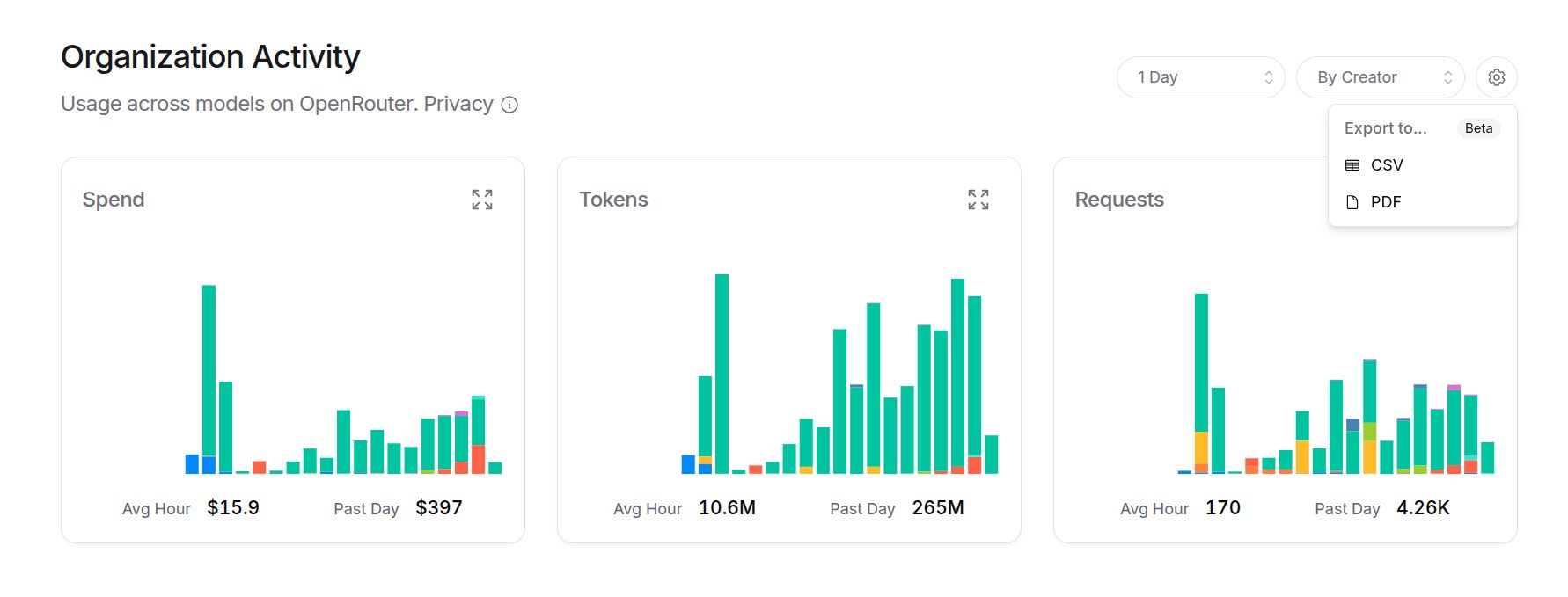 This exports a summary of all three metrics. For detailed breakdowns, click into a specific metric first.
## Detailed Exports
Click any metric card to expand it. From there you can:
* See breakdowns by your selected grouping
* Export the detailed data as CSV or PDF
This exports a summary of all three metrics. For detailed breakdowns, click into a specific metric first.
## Detailed Exports
Click any metric card to expand it. From there you can:
* See breakdowns by your selected grouping
* Export the detailed data as CSV or PDF
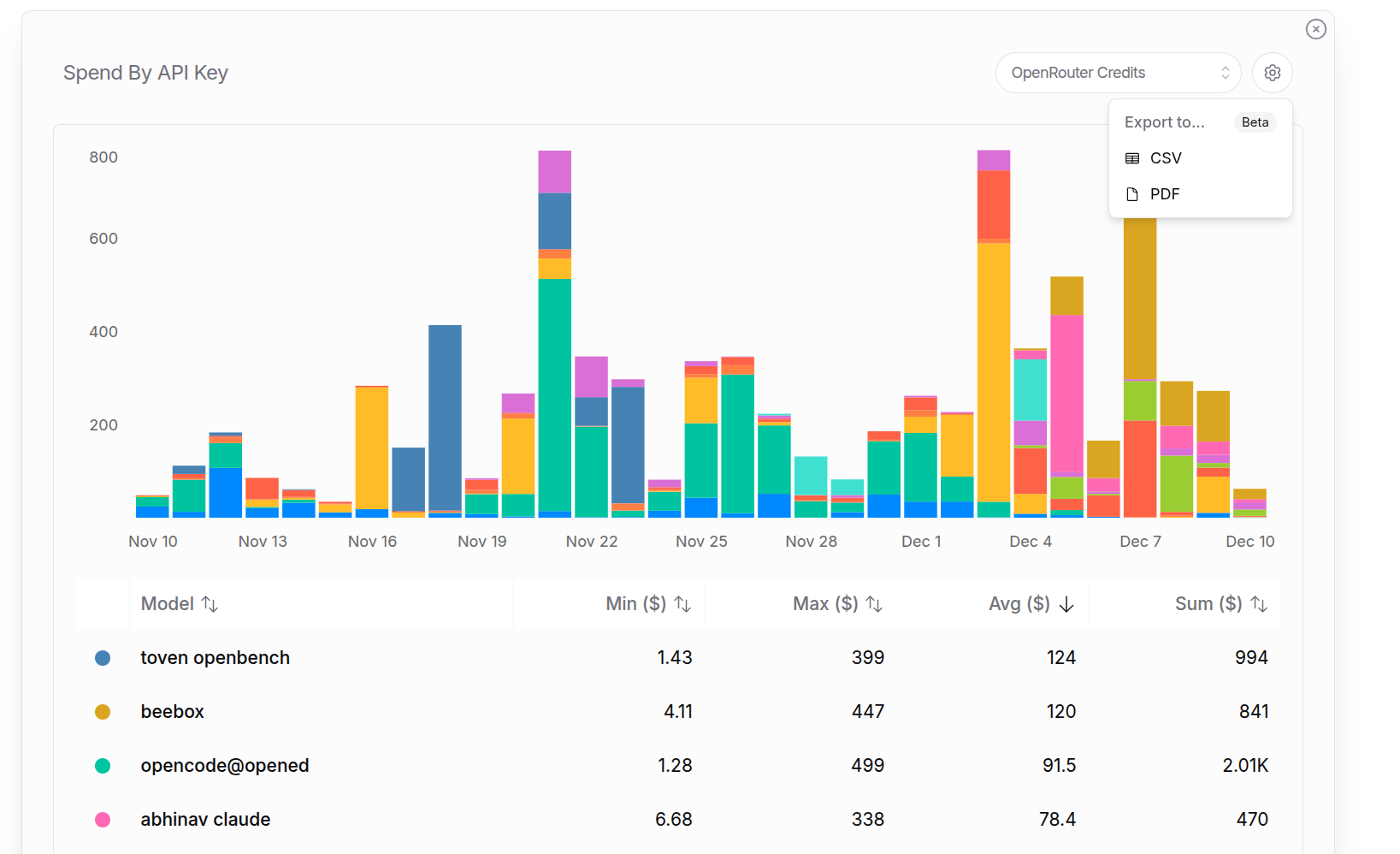 For example, a detailed "Tokens by API Key" export to pdf for the last year. It starts with a summary page for all keys, and then granular breakdowns for each key individually:
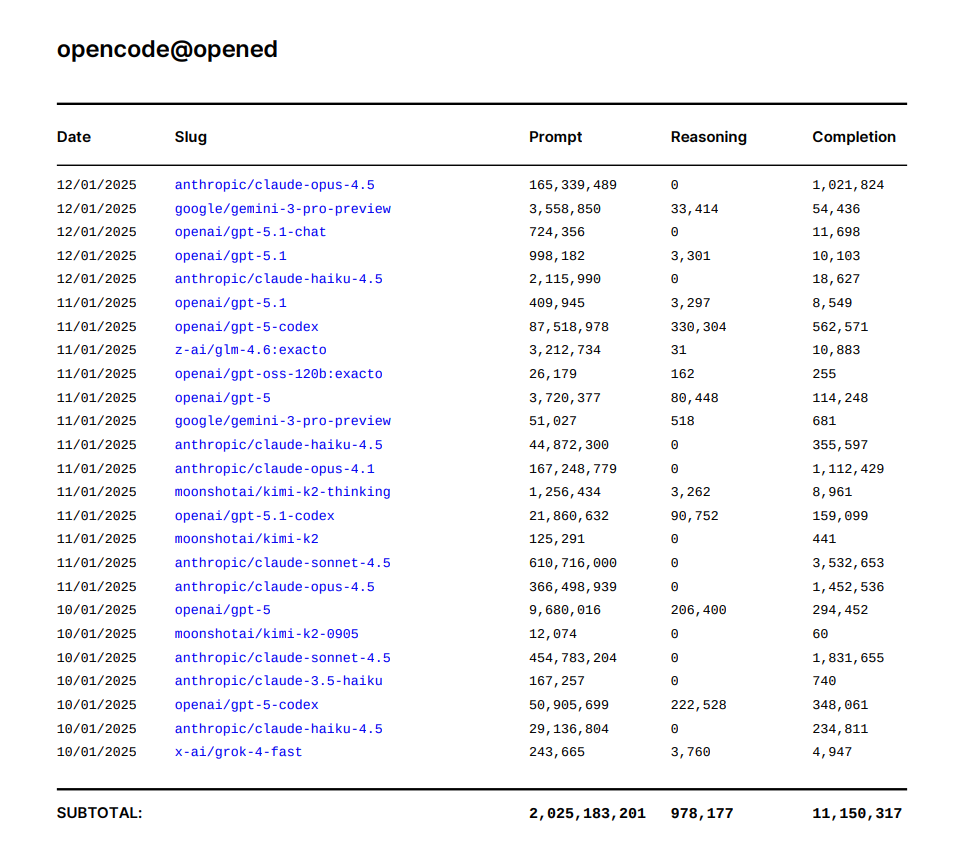 **Reasoning Tokens**
Reasoning tokens are included in completion tokens for billing. This shows how many of the completion tokens were used thinking before responding.
**Reasoning Tokens**
Reasoning tokens are included in completion tokens for billing. This shows how many of the completion tokens were used thinking before responding.